Friday, September 25, 2015

Modern Techniques for Classical Printing with Emphasis on Luminosity Masks by Dan Anderson


Over the last few years there has been a constant evolution in the techniques available to photographers to use and wherever these new tools and techniques can be employed for increasing my own personal expression in my prints, I welcome and adopt them.

I will be showing several of these techniques that I now use including the use of luminosity masks and a layering technique to make images that I call timescapes.


I will also introduce a brand new method of making black and white images that doesn’t use any current method of conversion to black and white but rather exclusively uses luminosity masks as art objects themselves.

Daniel Anderson is a photographer whose ongoing personal work is primarily dedicated to the landscape in its many forms. For years he concentrated on the 8 x 10 view camera and techniques and methods perfected over years of hand processing and printing to create black and white images of exquisite artistry and sensitivity. Over the last decade, he has transitioned to a high end digital approach to image capture and printing resulting in increased control over the photographic process. 

He has photographed widely throughout the American West, Greece, Iceland, Italy, England, Scotland, Ireland and Antarctica. His work is primarily concerned with the natural scene and his camera has captured both the high drama of storms and vast panoramas as well as the delicacy of the intimate detail of the American Landscape. His work also includes a series of images of European Cathedrals and Abbeys and a series of Wisconsin barn interiors.

His work has been widely exhibited throughout the United States and Europe in numerous one-man exhibits and group shows. His work is included in many public and private collections. He currently has gallery representation in Ellison Bay and Sturgeon Bay, Wisconsin. He has written articles for Photo Techniques Magazine and other publications. 

Dan has studied with Ansel Adams and other contemporary masters of photography.
He has been an active teacher in photography, participating in many workshops throughout the United States. As founder of Wisconsin’s Door County Creative Photography Workshops, Dan has offered darkroom printing and other workshops to hundreds of students since 1984. In 2004, he began offering workshops in fine art digital printing.  He is also on the faculty of Door County’s Peninsula Art School and has served as a consultant and product beta-tester for several photographic paper companies.

Webpage:  Daniel Anderson Photography - Home page
Facebook:  Daniel Anderson Photography

Dan will be presenting at CAPS- Chicago Area Photographic School on Saturday and Sunday, November 21st and 22nd.  For the CAPS website go to:  Home

To register for CAPS go to: Chicago Area Photographic School (CAPS) 2015 - RegOnline 


Friday, September 18, 2015

How to Plan Your Own Do-It-Yourself Photo Safari by Matt Sparapani and Alison Newberry


Do you ever look at an advertisement for one of those fabulous photo safaris in Africa and think, “That sounds incredible, but I can’t afford that” or “Someday I will do that, but that’s a once-in-a-lifetime trip”? Our philosophy is carpe diem: seize the opportunity and go now. How you ask? By planning your own do-it-yourself photo safari.


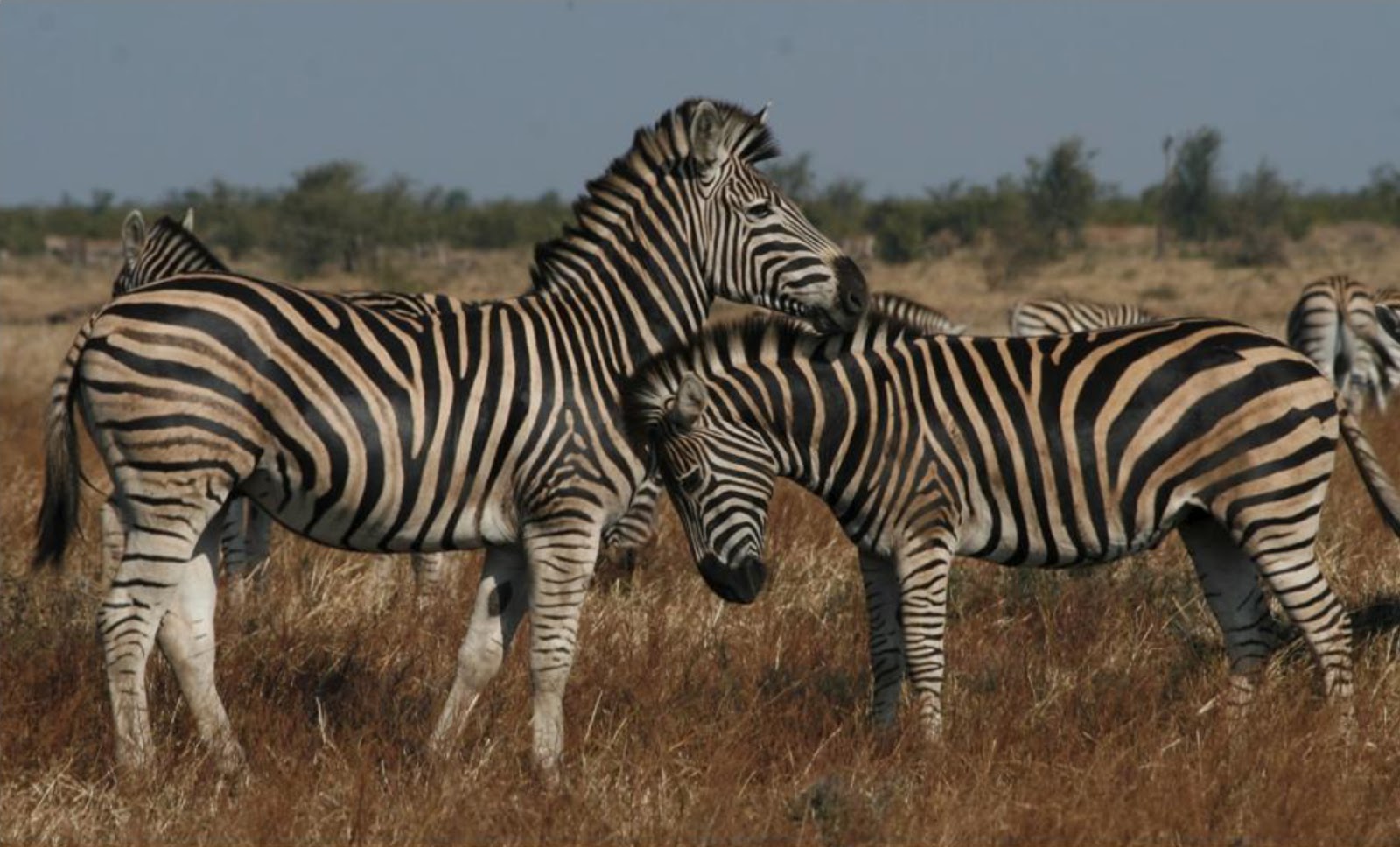
As teachers, the three things we love best are June, July and August. Summer is the time of year we get to travel, hike and photograph nature, so we do our best to take advantage of our time off. Many people we talk to say they would love to travel more but feel they can’t afford it. Our answer to that is “Do It Yourself!” With a little bit of research and advanced planning, you can build your own independent photo adventure. You’ll lose the crowds and escape the pre-set schedule of an organized tour. Plan an itinerary that suits your interests and gain the freedom to shoot as many zebra pictures as you want! Why pay someone else to guide you when you can do it yourself more affordably?


Our program will take you through our process of planning great photography trips, from researching potential destinations to booking transportation and locating local outfitters. We will tell you about self-driving safaris in South Africa, Namibia and Iceland, supported trekking adventures in the mountains of India and Peru, as well as some fantastic drivable destinations right here in the US. 


Topics Covered in Program:
  • Thought process involved in planning a do-it-yourself photo safari
  • Timeline and resources available
  • Important considerations:  budget, time, permits, visas, physicl limitations, desired activities, prime times of yer to visit, etc.
  • Lodging, food and transportation options
  • Challenges and rewards of do-it-yourself travel
  • Creative ways to document your adventure

Bio: About Matt & Alison

Matt and Alison discovered their passion for travel (and each other!) while living in Italy nearly 20 years ago.  As newlyweds they discovered a mutual love of nature photography at an Audubon Society workshop in Main.  since then, they have combined travel and photography with a variety of outdoor activities.  From trekking in Nepal to safari in Africa, from backpacking in Patagonia to canoeing in the Boundary Waters, the camera has served as a constant reminder to pause and savor the subtle beauty of nature.  As one of their favorite bands sings, "You get to know things better when they go by slow!"

While not on the road, Matt and Alison reside in Chicago.  Matt teaches Latin, Greek and Ancient History at a private high school, while Alison teaches computer at a K-8 public school.  They have been active members of Riverwoods Nature Photographic Society for the past 10 years which they credit for helping them hone their skills.  You can see Matt and Alison's photography and follow their adventures on their blog, Take a Hike Photography (www.takeahikephotography.wordpress.com) Matt and Alison are also contributors to Sidewalk, a new curated online hiking magazine that helps readers discover and plan amazing hiking adventures (www.visitsidewalk.com).

Matt and Alison will be speaking at CAPS- Chicago Area Photographic School on Sunday, November 22nd.
Check out the CAPS homepage at: Home
To Register for CAPS go to: Chicago Area Photographic School (CAPS) 2015 - RegOnline

Friday, September 11, 2015

Optimizing Images for Presentation by Bob Benson


We all have this same problem when evaluating our images: 

We can easily judge others works for flaws (perhaps too readily sometimes), but are blind to our own transgressions. How many times do you find yourself looking at a recent image, and jumping into it, eager to make software improvements before printing or sending it off to the web? Perhaps you remember the magic of the moment of the shutter click, or you are over whelmed by the beauty or uniqueness of the image in front of you. But did you see those little (and sometimes big) improvements or corrections that should be made first?

At my CAPS class, I will talk about the approach I try to use to prevent the above scenario. (It is hard to break habits, and like most people, sometimes fail at my own advice.) I am not talking about understanding the camera functions, or good composition; these are learned processes that are needed to start the digital process not covered here. I plan on discussing not only the approach to breaking the cycle of evaluating the finished results, but by process of examples, show some software techniques to improve the images that have worked for me in the past. No one person’s process flow covers the best for everyone by any means, but hopefully by showing these examples you can get revved up to the next level with your images, or find some technique that helps your process flow.


Below is an example of a before and after that I will show the steps I used to make the final image.


Bob Benson, APSA, is active in CACCA as a current board member and former president. He co-founded the first all digital camera club in the area thirteen years ago. He is also active in PSA as the chair of the international Inter-club Competition for Pictorial Image Division, and writes a regular column for the Journal on Lightroom.  He has received the Charles Stinson and Wanda Christl awards for his local contributions to photography. He started with version 3.0 of Photoshop, and he is still learning all its intricacies.


CAPS-Chicago Area Photographic School will be on November 21st and 22nd at Elgin Community College.  Check out the Caps homepage at:  Home


Saturday, September 5, 2015

Using One Light to Get Big Results by Craig Brandt

I’m excited about being back at CAPS Midwest this year. I met and was able to help a great bunch of folks at last year’s CAPS event and I’m looking forward to working with all of you again.


So why only one light? Well, that’s because almost everyone has at least on light source or strobe with their camera. You don’t need to use a ton of expensive equipment and strobes to make a great image. So let’s see what I mean by looking at this example of an image made with only one Nikon flash unit….

In this portrait you can see our subject is dramatically lit with nice, soft, warm light. This image was made with a common flash unit you can pick up at your favorite camera or local electronics store. My goal for this workshop is to give everyone that attends the knowledge and insight to make great images with their cameras and strobes. So what will you learn if you attend this workshop?

      1)     That learning to make your own light is the single most important skill to improving your photography.
      2)     You’ll learn about the characteristics of light and why it behaves the way that it does.
      3)     You’ll learn to control light sources and understand their effects on your images.
      4)     You will learn how to use your gear or make a modest investment to make unique images that separate your photos from the masses.
      5)     The Workshop will consist of theory, examples from my workload to demonstrate that theory, and finally a “hands on” demonstration on how to make it all happen.

Here’s  a few more examples of what you can do with only one flash as your light source:


I look forward to meeting all of you and spending a great couple of days at this years CAPS Midwest. In the meantime, if you want to dive into a little bit more you can check out my business website at: www.craigbrandtphotography.com

Thanks again and see you all there!

A photo generalist by nature, Craig’s workload covers a broad base of subject matter and clients. It currently consists of images for local newsprint publications, corporate brochures / advertising, magazines, and editorial work for the international newswire service Penta Press. His images can routinely be seen in local media publications and fine art exhibits. His first book "Sailing by the Belle" released in the fall of 2010 chronicled the sport of competitive sailing along the coast of Racine, Wisconsin and included images from his coverage of several national regattas. His second book, "For the Sake of Light" released in the spring of 2012 is an in-depth look at the use of light in photography and includes images from Craig’s work across the country as a freelance photographer. He is known for his use of creative lighting techniques and the unique perspective he brings to his images.

Craig will be presenting his program on Saturday, November 21st.

CAPS-Chicago Area Photographic School will be on November 21st and 22nd at Elgin Community College.  Check out the Caps homepage at:  Home


Friday, August 28, 2015

Nature Photography: A Practical Approach by Mike Trahan

Do you wonder if you can take gorgeous nature photos such as you've seen done by others?  Do you want to improve your shots further?  You can!

But where do you start and how do you do it? We'll walk through the various genres of nature photography and give you practical suggestions on technique, settings, equipment, plus where and when to go out.

Our session will be oriented to the beginning/intermediate through advanced photographer.  We won't just be showing pretty pictures.  This will be a high content, practical session although it still will be an overview given the time we'll have.

What are the genres we're talking about?

Well, there's birds and wildlife.
All of these warblers and songbirds plus more come through our area in the spring and fall.  One of the best spots, although not the only one, to find and photograph them is easily reached right in Chicago, the Magic Hedge at Montrose Harbor.

How about landscapes:
O.k., o.k.  Mt. Rainier isn't in the Midwest.  But Volo Bog northwest of Chicago is.  So if you don't want to travel far, all is not lost.

Flowers and plants:  Like this chicory, a common roadside plant.


Bugs!  (Butterflies, dragonflies, damselflies, and other cute little invertebrates plus some not so cute ones.)

When you get down to it, photography is a great excuse to get out and enjoy nature which then enriches your life.  So join us at CAPS-Chicago Area Photographic School on November 21st and 22nd at Elgin Community College.  Check out the Caps homepage at:  Home


Mike Trahan has been a birder and nature lover for over thirty five years.  He's a member of a nature -only CACCA club, Riverwoods Nature Photographic Society and another CACCA club, the Lake County Camera Club, where he's a past president.  He's won honors at the club, CACCA, and PSA nature levels as well as various Midwest awards such as first place winner for eagle photos from the Stewards of the Upper Mississippi, grand prize winner for Visit Lake County, and first place winner for the Ottawa National Forest.  Mike really enjoys photography, nature, and sharing what he's learned with you!

Saturday, August 22, 2015

Lightroom Tips and Tricks by John Williams

At this year’s CAPS- Chicago Area Photographic School sessions, we’re going to have a lot of fun going through all kinds of tips, techniques and tricks in LR to help you work faster and get more out of it including all those new features.

I hope everyone has had the chance to begin using the newest versions of Lightroom.  I say versions in plural because as you are probably aware, already there is a difference between Lightroom 6 and Lightroom CC 2015.  Here is a link to a feature comparison run down between Lightroom CC, Lightroom 6 and Lightroom 5 on Adobe’s website: http://www.adobe.com/products/photoshop-lightroom/versions.html


While it’s always fun to talk about the newest features, today I want to drop back a bit to something basic in LR that even those of you running older versions can take advantage of.  In LR, we can spend a lot of time reviewing, inspecting and looking at the thumb nails and then the full screen and even the zoomed-in view of lots of photos.  So let’s speed things up and take advantage of a couple of keyboard shortcuts that help make it easier with the basic task of changing our image view. The more you know the LR user controls the faster and better you’ll be!

So just like Adobe uses this shortcut in Photoshop, remember you can use the Control key for Windows or Command key for Mac along with the Plus/Equals “+” or “=” key to zoom in or with the Minus “–“ key to zoom out. It will increment between five views, go in from the thumbnail to “Fit”, to “Fill”, to 1:1, to 2:1 and back all the way out to the Grid/Thumbnail view, just using those two keys. 

  
Note that the most zoomed level as shown in the Navigator panel can be set by you, using the pull down.  In my photo examples, I set that position to 3:1 instead of 2:1.


You can also use the “space bar” key to quickly move from the Grid/Thumbnail, to “Fit” view, then hit the space bar again to change to the 1:1 view.  Keep hitting the space bar to move in and out between the two views you last selected.  Now that’s fast!

You can also use the “Z” key from the thumbnail view and it will immediately take you to the 1:1, hit it again to go back to grid/thumbnail view.

Practice using these methods and as you become comfortable with them, I assure you, you will become much faster and more thorough working in Lightroom.

CAPS-Chicago Area Photographic School will be November 21st and 22nd at Elgin Community College.  Check out the CAPS homepage at:  Home

To register go to: 

John joined the Lake County Camera Club in 2008 and has served in many capacities and also had great success participating in club, CACCA and PSA competitions.  While he enjoys the challenges of learning many different photography types and styles, his favorites tend to be Architecture and landscapes. As an early adopter for HDR, panoramic and compositing processing techniques, he has always enjoyed the deep dive into more advanced photography processing technology. 

John has been teaching Lightroom to large and small groups through his club activities and takes a very practical and real life experience perspective on the full implementation of the software. He loves to share and teach with photographers of all levels and give back to the photography community.


John will be teaching on Sunday, November 22nd.


Friday, August 14, 2015

Making Mobile Movies......"It's Fun" by Jerry Hug

Making Movies with the iPhone.

This is a fun class on how to make short movies entirely on the iPhone with free software (iMovie). Why make movies? Why not? We still photographers have a lot more on our cameras and when it is sooooo easy, it becomes fun. When I say short movies, remember most TV commercials are 30 seconds or less. I try to keep the movies under one minute. The Owl movie and the Dancing Camera were all taken with an iPhone 6. The Owl was from 4 short clips and it was all assembled in the iPhone. The dancing Camera was one clip and created with the Silent Film Studio app.  It is easy to add music, dialog and smooth transitions.  Come and learn how.  Bring your iPhone and have 60 minutes of pure fun.   Jerry Hug, APSA

Jerry is from Des Plaines, Illinois and is a past president of the Chicago Area Camera Clubs Association and is Public Relations Vice President of the Photographic Society of America. Jerry has lectured throughout the country for the PSA. For more of Jerry’s latest work see his Blog. Jerry is a professional educator with a background in music. He teaches Photoshop and Digital Photography in the Chicago area, Michigan, Indiana and at The Clearing in Door County, WI.  You have seen his programs on iPhone Photography, now come and see what he has to say about iMovies.  Jerry will be speaking at CAPS-Chicago Area Photographic School on Sunday, November 22nd, Elgin Community College Business Center, 1700 Spartan Drive, Elgin, IL.

To Register for CAPS go to Chicago Area Photographic School (CAPS) 2015 - RegOnline